
Create an account & log in
Sign up once, then log in to book and see your bookings.
1Start a booking
Tap Book Your Trip on the home page or Book Now in the menu. If you are not logged in yet, we take you to the Log in page first.
- Already have an account? Enter your email and password, then tap Log in.
- New to LetMeDrive? Tap Create an account at the bottom.
- Forgot your password? Tap Forgot password?.
After you log in, we bring you straight back to the page you were on.
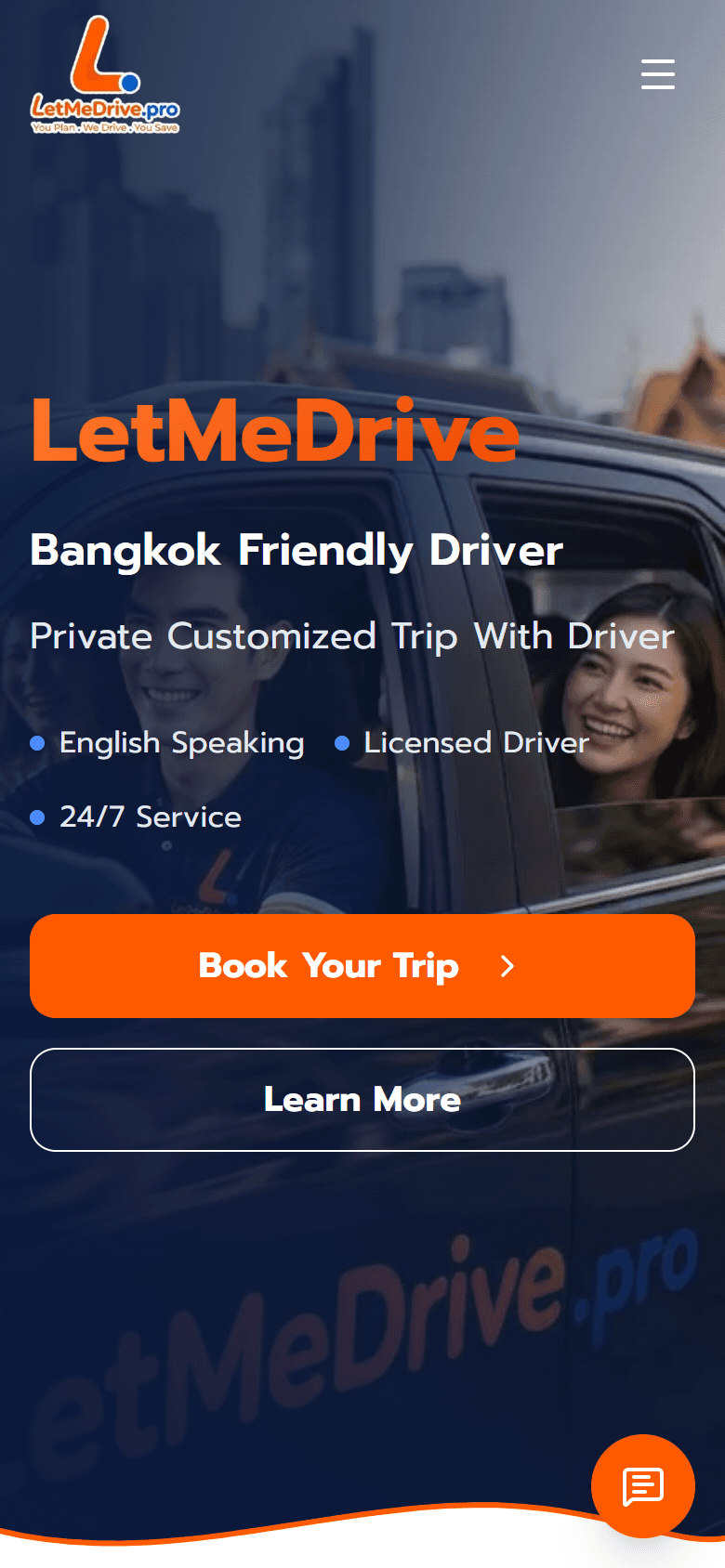
Home page 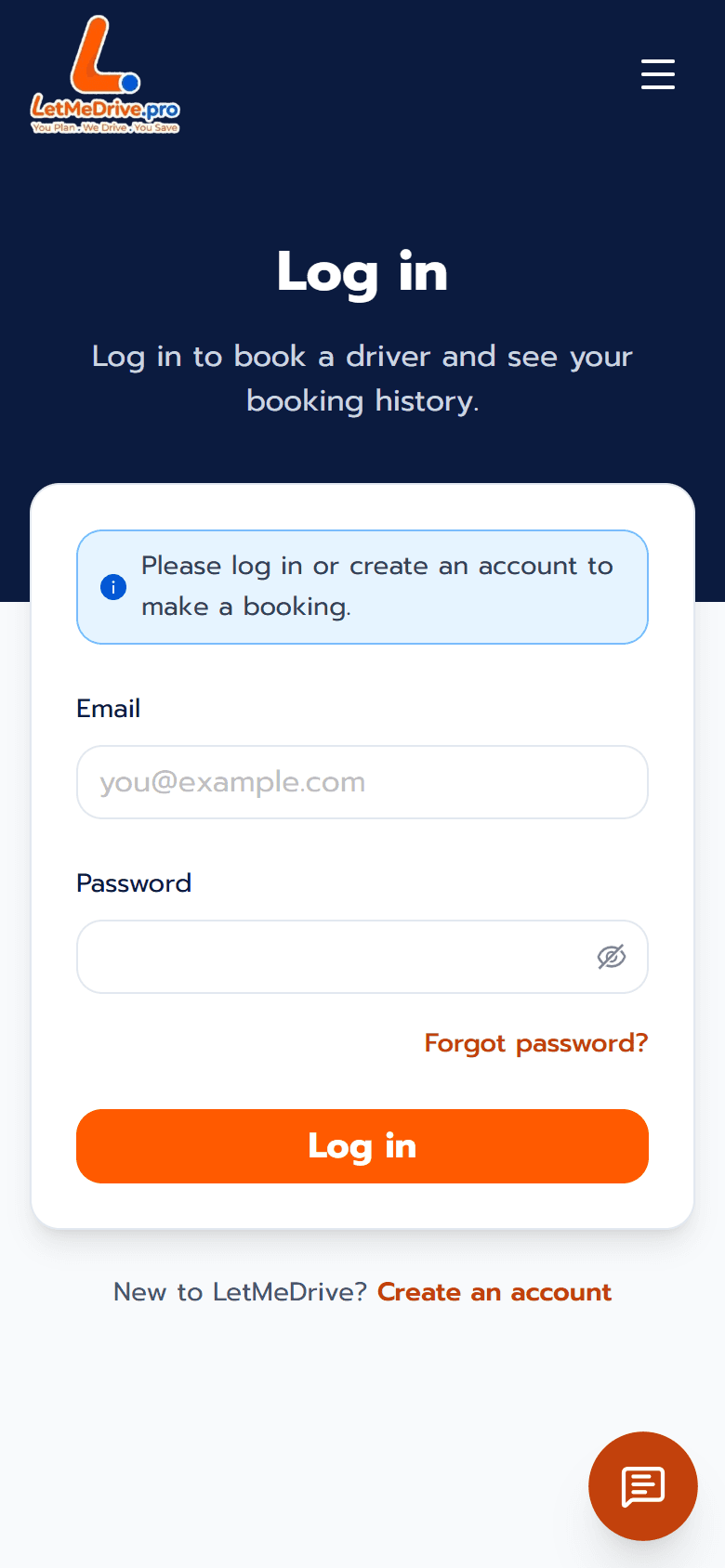
Log in page 2Create your account
Tap Create account. You are logged in right away; there is no email to confirm.
- Full name and Email. You log in with this email and receive booking updates there.
- Password: at least 8 characters, with letters and numbers. Type it again in Confirm password.
- Phone and WhatsApp are optional, but they help us reach you quickly.
- Tick the box to accept the Privacy Policy and Terms of Service.
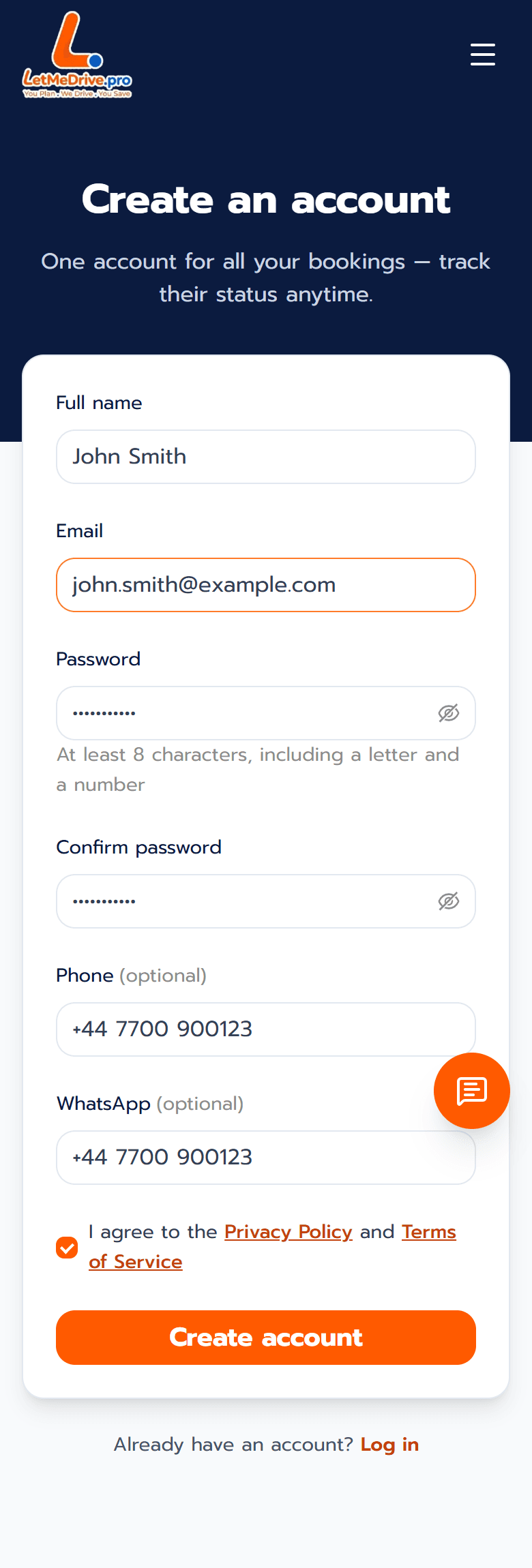
Sign-up formScroll inside the frame 3Find My account
Once you are logged in, the menu shows My account (on a phone, tap ☰ first). Use it to see your bookings and update your details.
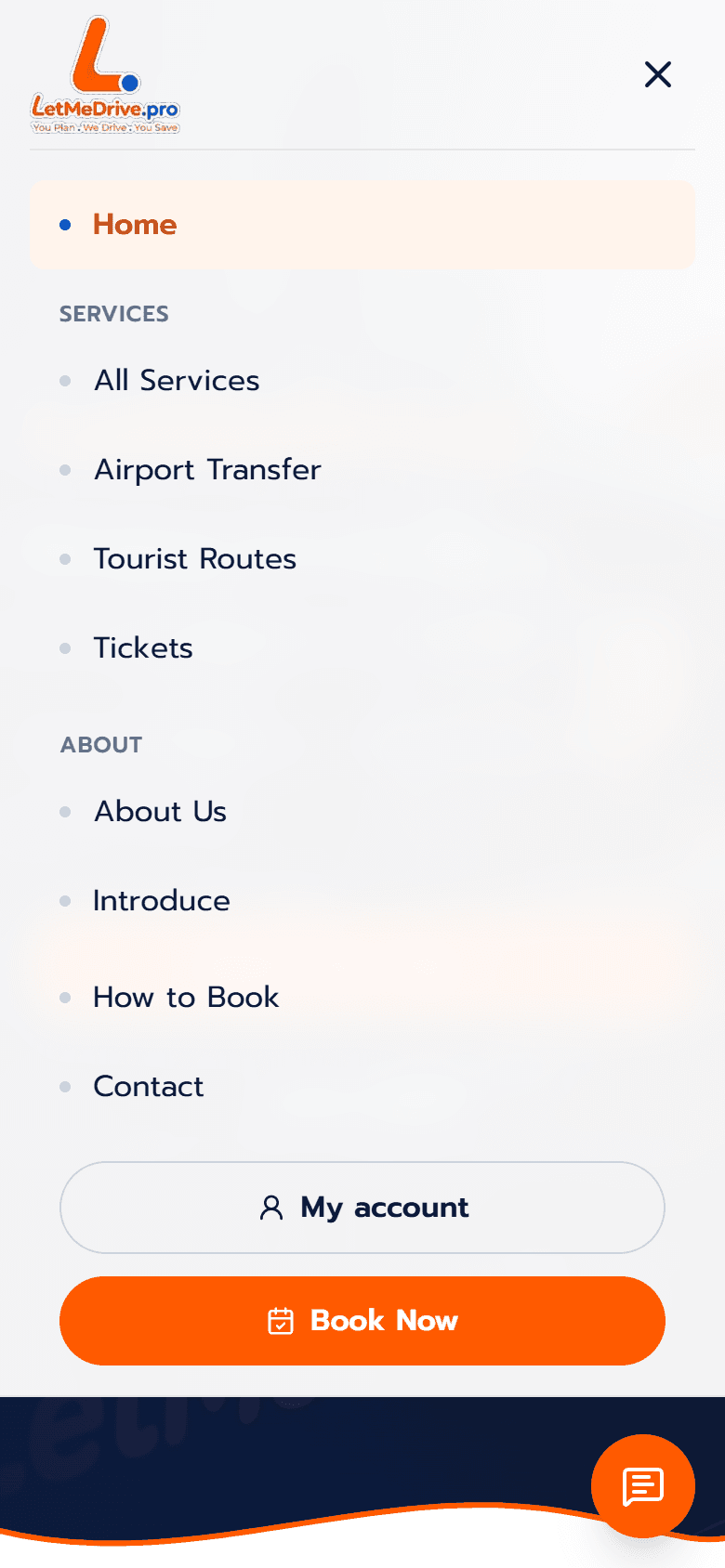
Menu on a phone
Still need help?
Our team speaks English and replies quickly. Contact us any way you like, and tell us your booking reference if you have one.